Showing posts with label Internet Tools. Show all posts

Thursday, 16 December 2010

How to open youtube with low bandwidth connection

In country like India where average speed of internet connection is very low,it is not possible to watch videos on youtube.com .
But with the mobile version of youtube it is very easy to watch video on your personal computer.


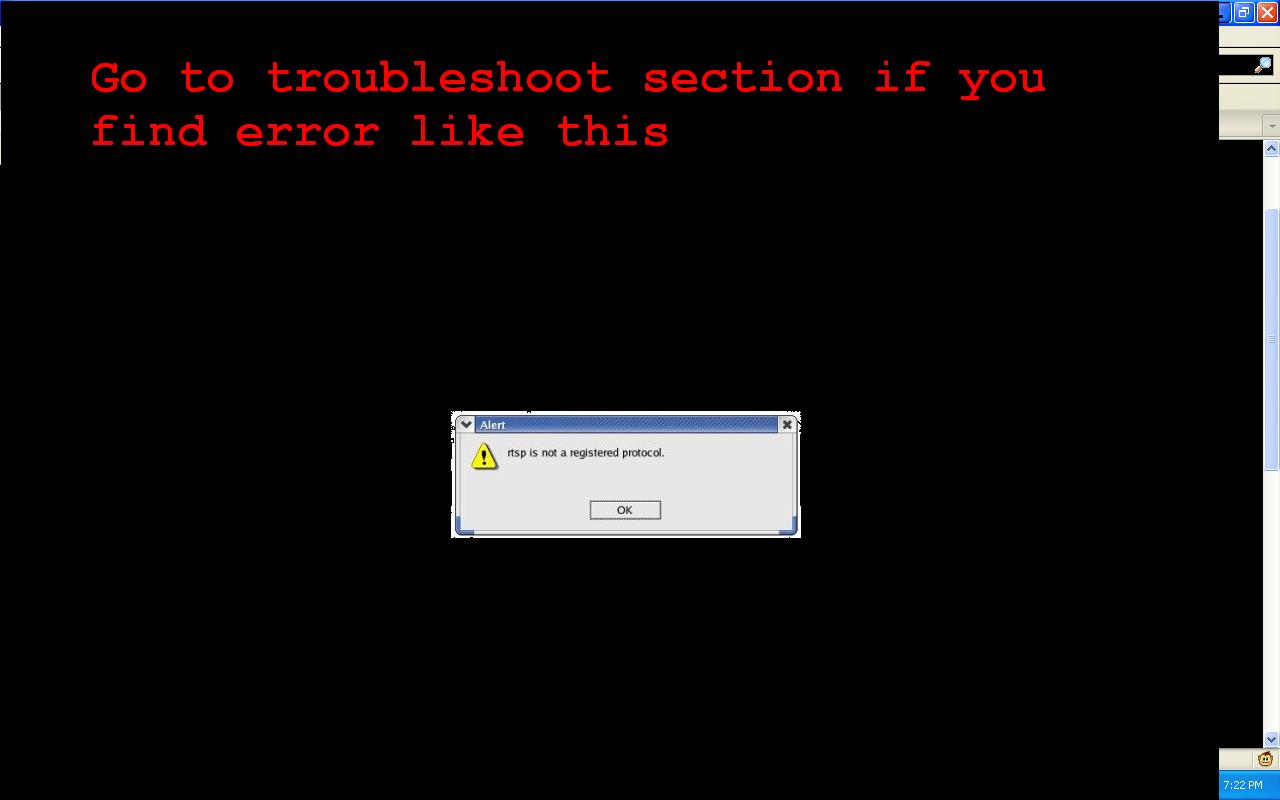
Troubleshooting:


Wednesday, 21 April 2010

Solving Server not Found and DNS errors : 5 Free Fast DNS Servers

If you have error or not, it's though exactly a diagnose. Using DNS server can speed up your online experience. Give them a try, it costs nothing. It can be all good and no bad.

DNS is Domain Name System, it's work in simple words is to translate URLs into IP addresses so that you can get the right thing. If it gets overloaded, you may be unable to view all or some websites. Like, if websites like http://74.125.53.99/ loads but http://www.google.com doesn't, you may have a DNS problem.
Also, if you have a DNS problem, the browser will often display error as Server not found.

To correct the trouble, you can use DNS servers. These will be servers that shall respond and process the DNS demands of your computer or network.

Some Gyaan Before we take off:
There are two types of the IP address your computer could be assigned.
  • Static IP
    Your IP address would be same every time you connect to the internet

  • Dynamic IP
      Your computer would be assigned different IP address every time you connect to the internet. In this case, it's good for you. You don't need to see Control panel for now.
There is a simple observation you can make just now, go and check whatismyip.org. The website shows your IP address(that's all it shows on the page, so i don't need to elaborate). Note it somewhere on notepad, paper or desk or in the form of doodle or on walls or have a Tattoo whatever. Now next time, you start the computer and connect to the internet, go again to whatismyip.org, again you'll find the IP address. Check the latest one from the one you noted before. If there's no difference then you have Static IP otherwise you have a Dynamic IP.

Here's the procedure.
  1. The thing is you have to get to your internet connection's properties to instruct it to use a DNS server.
  2. On Windows XP and older versions, it's in Control Panel - Network Connections
  3. Or it can be in the Start Menu - Connect to
  4. Right click your connection and get to it's Properties. (On Windows 7 or Vista,  get straight to the properties of the connection)
  5. Networking Tab - in the list of services, Click Internet Protocol (TCP/IP)
  6. Get to it's Properties. You should see this.
You see those boxes for IP addresses, here is your turn to pick up the most handsome numbers from the menu below.

Here's List of DNS Server's that you do the Job, just for free.

Google Public DNS
Google is everywhere. It claims to be the fastest, and i'm sure you would believe it unless you really want to investigate. If time's not a luxury for you, try Namebench. You will find other info there. So back on Google.
  • 8.8.8.8
  • 8.8.4.4
[Link : http://code.google.com/speed/public-dns/ ]


Tuesday, 5 May 2009

8 tricks for Super search

Nobody "surfs" the Web anymore. Some 80 percent of all online sessions now begin with a search. Google proves the point by making over a billion dollars every quarter on search ads. Nobody ever made than kind of money selling browsers.

But plain old Web searching doesn't do the trick anymore. Most Web searches either yield too much random data, or they don't give you what you need when you need it.
If you're an efficient searcher, you know to hit the Web running. Here are some tricks that will help you get what you want when you want it—sometimes before you ask for it.
1. Go on the alert. Why search day after day for news about the next release of your favorite game? At Google Alerts you can tell Google to send you a daily, weekly, or up-to-the-minute e-mail that >sums everything up.
2. Alert Yahoo, too. Yahoo alerts don't offer Google's level of detail, but the menu-oriented interface gives novices a clear idea of what options are available in the alerts that they create. On the other hand, Yahoo makes you sign in before you can create an alert, a task that could easily sidetrack distractable users.
3. Know an operator or two. You can create tightly defined searches for your alerts if you use search operators when defining your alert. For example, if you want to search only PCMag.com, append the operator site:pcmag.com to your search query. If you really want to geek out on all the search possibilities, peruse Google's and Yahoo's lists of search modifiers.
4. Live a little. Microsoft Live Search macros are easy to overlook. Live Search macros let you build and save frequent searches—for example, if you're new to the Linux OS distribution Ubuntu and search the forums a lot, you can build a search (or use the already available macro) that includes those sites. When you're ready to search, just plug in what you're looking for and the search will automatically be limited to the sites you specified.

The macros are buried in the More menu at the right end of the main Live Search screen, and they can be really helpful. Go to the bottom of the More menu and choose See All. You'll see two headings that refer to Macros: Edit Macros and Find Macros. The Find Macros menu lets you browse macros other people have created, while Edit Macros is your choice for creating menus yourself.

5. Take a shortcut. Firefox launches a search when you right-click selected text and choose Search in Google from the shortcut menu. See "Firefox 3: 8 Things You Didn't Know You Could Do" to learn how to get zippier performance from Firefox).

6. Get personal. Vanity surfing isn't just an exercise in ego building. If you have a reputation to protect for any reason, you need to know what people can find out about you. Consider Google's Profiles service, which allows you to set up a personal page in which you describe yourself to the world of Google searchers (you know, everybody) on a page that gets priority in Google search results. Google profiles don't erase any nasty comments others may have made about you on the Web, but they do give you equal time to make your case.
When you're looking for personal information about other people, Web searches are often too general, but if you go to www.pipl.com, you can find a slightly scary level of detailed personal information about yourself or anyone else. The information you find on Pipl is frequently much more detailed than what you'll get from Google. Even if you don't like bad news, it's usually better if you find the dirt on yourself before someone else does.

7. Troll Twitter for timely tips. Despite its reputation for disseminating drivel, Twitter is probably your best source for fresh, time-sensitive information, and an essential resource for ensuring that you're dealing with current information. It also delivers information of a different nature—search engines tell you what a machine thinks you're looking for, but a Twitter search tells you what other people are choosing to say about that topic right now. The mainstream search engines also conflate today's information with stuff that's been hanging around for years, while Twitter searches skew toward recent relevance. Twitter's plain old search box can deliver a mother lode of information about what's on the world's collective unconscious right this minute, as can the search tools in the most popular third-party services like Twitscoop and Twitterfall. You can also ferret out current trends through the search tools built into many of the free, downloadable helper applications for Twitter, including Tweetdeck, Seesmic Desktop, and AlertThingy.

8. Tailor responses. The Internet makes more wrong information available to more people than ever before. Google now invites you to promote items from your search results (that is, move them up in the search ranking), or remove them altogether, by clicking the gray icons next to each returned link. As you repeat this action in different searches, Google's software learns to deliver results that are more reliable for you—more in line with what you tend to look for. So, for example, you might get recipes when you search on "chicken," while Farmer Pete gets items about the care and feeding of laying hens. In addition, Google now tries to deliver "personalized" results by taking into account what you've clicked on in the past, so your own past search habits could affect the results you get as well.

If you can't have Web search results injected directly into your brain, that's only because Google's engineers haven't yet figured out how to push advertising up there, too. The minute they do, you'll know.

Firefox stuff, you didn't knew about!

The latest version of Mozilla's popular open-source browser enjoyed one of the most successful launches in software history, with a record-setting 8.2 million downloads the first day it was available. With the ability to drastically expand the browser's functions using plug-in extensions and Greasemonkey scripts, many of Firefox 3's built-in features are overlooked. Here are eight handy things you can do with Firefox, ranging from tiny tweaks to hugely powerful capabilities, all with nary an extension to install.

1. Duplicate tabs with drag-and-drop.
Duplicating tabs is a piece of cake: Simply hold the Ctrl key while dragging the tab you want to duplicate to an empty space on the tab bar. 2. Minimize the toolbar.
Free up a little extra screen real estate by getting rid of the big, round "Back" button and replacing it with a more streamlined control. Right-click the toolbar, choose Customize, and select Use small icons. The new controls are perfectly functional but smaller, allowing the toolbar to shrink and leaving more room for viewing sites.
3. Use smart bookmarks.

Use smart bookmarks
Smart bookmarks are live bookmarks that don't just refer to particular sites but actually generate live lists of sites according to parameters you define. For example, you might have a smart bookmark that lists the 10 sites you visit most often, or the last 20 sites you've visited with a particular keyword in their title. To create a smart bookmark, select Organize Bookmarks from Firefox's Bookmarks menu. In the window that opens, select Bookmarks Menu in the left-hand pane, then click Organize in the toolbar at the top and New Bookmark in the drop-down menu. Give your smart bookmark a descriptive name, such as "10 Most Recent Bookmarks." In the Location field, you're going to enter in a line of code telling the smart bookmark what to do. For the 10 sites you bookmarked most recently, you'd enter: place:queryType=1&sort=12&maxResults=10 . There are dozens of parameters you can use; Mozilla's developer site includes a list of commands you can use in smart bookmarks. Here are a couple of the most useful:
  • The 10 sites you've visited most recently (some installations of Firefox come with this smart bookmark already in place on the Bookmarks toolbar): place:queryType=0&sort=8&maxResults=10
  • The 10 most visited sites with some search term in them: place:queryType=0&sort=8&maxResults=10&terms=keyword (replace "keyword" with your desired term)
4. Send e-mail via Yahoo! Mail or Gmail by default.

Send e-mail via Yahoo! Mail or Gmail by default.
Normally, clicking on an e-mail address on a Web page will open up a new e-mail using your default e-mail program. If you'd rather use Yahoo! Mail, open up Options under Firefox's Tools menu, select the Applications tab, and scroll down to the mailto: entry. Select Use Yahoo! Mail and click OK. Gmail is not included as a built-in option in every installation of Firefox, but if yours doesn't have it, you can add Gmail easily enough. Skip the Options dialogs for now and instead type about:config in Firefox's address bar and hit Enter. In the Filter field, type gecko.handlerServiceAllowRegisterFromDifferentHost. Actually, you can simply type gecko and find the entry in the filtered list. Double-click the gecko.handlerServiceAllowRegisterFromDifferentHost entry to change it to True.
Next, cut-and-paste this line into the address bar and hit Enter: javascript:window.navigator.registerProtocolHandler("mailto", "https://mail.google.com/mail/?extsrc=mailto&url=%s","Gmail")
A message will appear at the top of the browser window asking if you want to add Gmail as an application. Now, repeat the process above for choosing Yahoo! Mail, but select the new Use Gmail option instead.

5. Change or remove the Close tab buttons.

Change or remove the Close tab buttons.

By default, Firefox 3 puts an X on each tab, similar to the X button that closes an application. You can remove this button, or see it only on the tab you're currently viewing. Open about:config again and enter browser.tabs.closeButtons in the Filter field. Enter one of the following values depending on the behavior you prefer:
  • 0 (Zero) Close button only on the active tab.
  • 1 (Default) Close buttons on every tab.
  • 2 No close buttons.
  • 3 Single close button at the end of the tab bar, instead of on the tabs themselves.
6. Change the behavior of the Awesome Bar.
Mozilla has dubbed Firefox 3's address bar the "Awesome Bar" because of the useful suggestions it makes as you type. By default, the Awesome Bar bases its recommendations on your recent history, pages you've tagged, and your bookmarks. You can change the way the Awesome Bar acts in the configuration page. Open about:config and change the following values, depending on the features you want:
  • To disable the Awesome Bar entirely and revert to Firefox 2–like functionality, change the value of browser.urlbar.maxRichResults to -1.
  • To allow the Awesome Bar to recommend only sites whose address you've typed directly into the address bar, change browser.urlbar.matchonlytyped to TRUE.
  • To remove unvisited bookmarks from the pool of recommendations, change places.frecency.unvisitedBookmarkBonus to 0 (zero).
  • To remove all bookmarks from the Awesome Bar, change both places.frecency.unvisitedBookmarkBonus and places.frecency.bookmarkVisitBonus to 0 (zero).
7. Search any site from the address bar with smart keywords.

Search any site from the address bar with smart keywords

The smart keyword function allows you to create searches for any site with a search engine, and trigger the search from the address bar using your choice of keyword. For example, you could create a smart keyword "me" to search the archives of your own site. If you wanted to see if you'd ever written about cat juggling, you'd type me cat juggling into the address bar and Firefox would return the results from your own site's search page. Visit the site you want to search and right-click its search box, selecting Add a keyword for this search. In the window that pops up, add a short description of the search and enter a short, memorable keyword that you'll use to trigger it. For example, to create a smart keyword for Space exploration, I visited the home page, right-clicked the search field, opened the smart keyword window, entitled my search Exploring space and then entered the keyword Space as my search keyword. Now, if I want to search for something—say, telescopes—I just type Space telescopes and the search is run.  
8. View your saved passwords for any page.
To view the passwords associated with any site, go to the log-in page and right-click anywhere on the page. Select View Page Info, and then the Security tab. Click View Saved Passwords. Another window will pop up showing the usernames associated with that site. Click Show Passwords to see the passwords for each username.
If you want to view all of your saved usernames and passwords, open Options under the Tools menu and select the Security tab. Click Saved Passwords to open a list of every site you've ever saved a password for. Again, click View Passwords and the list will display all of your passwords. You can't print this list, but you can just as easily take screenshots if you want to print out your passwords for safekeeping. Isn't this a huge security hole?, you may ask. Why yes, it is. Knowing how easy it is for anyone with access to your PC to view all your passwords, maybe you'd like to password-protect your passwords. In the Options | Security tab, click Use a master password and enter a password. Now this password will have to be entered any time you or anyone else tries to view saved passwords. You'll be asked to enter your master password every time you open Firefox; without it, Firefox won't automatically enter saved passwords for you. Make sure you don't forget this one!

Wednesday, 8 April 2009

Too many websites!

Sometimes you just need some space to walk around the web, so here's the space![Sounds geeky? Trust me it isn't that bad O:-) ]
Here's a list of some Internet's Websites, that i'll hope you'll be visiting first time.

Have too much time? Waste it here!
Dilbert You probably already have this one bookmarked
Homestarrunner.com - A strange off-center site but very entertaining
StrongBad Email - The most popular part of Homestarrunner.com
Spreadsheet Jokes - There are actually quite a few of them
GameHouse - A fun games site. (Doug has the world's highest Glinx score!)
Talk Like A Pirate - Arrrrr......
Awful Plastic Surgery - Beautiful people?!?
Museum of Obscure Patents - Strange stuff people invented
WonderfullyWacky.com - Gag Gifts and Funny Stuff
Jungle Jim's - World's greatest grocery store! Does your store have a monorail?
Gizmodo - Gadgets, gadgets, gadgets!
BBSpot - Geekie top eleven lists
Computer Stupidities - Strange tales from technical support
T.W.I.N.K.I.E.S. Project - Destructive fun with Twinkies
The Euphemism Generator - 198,211,143 unique phrases, collect them all!
ThinkGeek - Cool geeky stuff
TerraServer - See your house from space!
Camp Chaos - Parody cartoons, odd games, other weird stuff
Kiss This Guy - Misunderstood music lyrics
There Are No Words... - One photo, many variations
RoboDump - Pure toilet humor
Something Awful - A multimedia parody assault, no one is safe
Panoramas - 360 degree visuals from around the world
Movie Database - Look up all kinds of movie information
Bad Astronomy - It's more common than you think
NitPickers - Movie oopsies
Movie Poopers - movie synopses / spoilers
Bubble Wrap - Annoy the heck out of your friends and coworkers
Dave's Daily - A major storehouse of weird and funny stuff
The Art of Retouching - Beauty is in the eye of the mouse clicker
Glen Lachart Online - Goofiness from Scotland
Sand! - Kinetic cyber art
Strange New Products - Just what it says
M.I. Stupid - Stupid (and fun) stuff
Movie Trailers - Coming to a theater near you


News
Cosmic Log - A lively discussion of current space news and events
Oddly Enough - Odd news from Reuters and Iwon.com
411 Mania – News and discussion on movies, music, games, wrestling and more
Drudge Report - Compilation of many news sources plus commentary
Daryl Cagel - Political cartoons from around the world (categorized!)
Geek Press - Just for us geeks
Bizarre News - Exactly what it says
Fark.com - Odd news, real news...mostly
Wikipedia - Everything about everything
Sploid - Archives only right now
Fortean Times - News about UFOs, monsters and other weird stuff
News of the Weird - Yes it is


News - sort of...
The Onion - News the way it should be
Whine of the Week - A roundup of unprofessional professional athletes
The Answer Man - A twisted look at sports news
Am I Annoying? - Different every time. Refresh for new profiles.
Mr. Smarty Pants - Fun facts you probably didn't know
This Is True - Truth is stranger than fiction
Darwin Awards - Pray you are never win one


Helpful
Symantec Virus Hoax Page - Good information, fun reading
HoaxBusters - Some interesting history of internet and email hoaxes
The Skeptic's Dictionary - Deceptions and delusions debunked
BadBossology - Protecting people and companies from bad bosses
Snopes - Urban legends site. Check here before forwarding any emails.
Answers - Fast facts on a multitude of subjects
The World Clock - Get the local time, anywhere in the world.
Power Reporting - Journalist's resource, LOTS of great information links
Langenberg - Great phone references (reverse directory, etc.) and more
Baseball Reference - Baseball stats galore!
CIA World Fact Book - Select a county, get lots of info


Blogs
Bloggermann - Keith Olbermann on MSNBC
Wonkette - Lot of politics
Clicked - You never know where his links will take you!

Monday, 23 March 2009

Rescued from Hackers

Hackers have newer methods to hack into your systems.They are smart
enough to detect security loop holes in your PC and enter through open
ports,unencrypted Wi-Fi connections,malicious websites or internet
servers.It is better you check your PC periodically for invasions and
protect your system to prevent pilfering and damage of data.


Read the following tools that will rescue your PC when it is in danger.


Detecting security loopholes


Paros :Scans Internet Traffic and identify if any website contains any malicious codes.


Netcat : Finds potential trouble spots in the network.

Network Scanner : Searches for open spots.


Angry IP-Scanner : Fast IP and port scanner.


Nmap : Shows open ports and logs.


AiO secretmaker : Protects from intruders.


Airsnort : Verifies WEP keys in Wi-Fi network.


Whisker : Tests the web-server for security loopholes.


amap : Spies via open ports.


Wikto : Finds damaged programs on web servers.

WinHTTrack : Reproduces websites on the hard disk.


HTTPrint : Detects potentially harmful programs.


Nikto : The command line version of Wikto.


Libwhisker : Pest libary for Nikto and Co.


Kismet : Detects intruders in the Wi-Fi network.


Netstumbler : Tracks down Wi-Fi access points.


Cain&Abel : Finds coded passwords.


John the Ripper : Helps to find passwords.


THC Hydra : Detects security leaks in the network.


Pwdump : Restores NT-Logon passwords.


Rainbow Crack : Checks password security.


Eliminating malicious programs


Attack Tool Kit : Simulates exploit attacks.


Metasploit Framework : Check network.


a-squared free : Finds over 90,000 trojans.


Blacklight : Unmasks invisible rootkits.


Rootkit Revealer : Rootkit scanner for Professionals.


Hijack This : Unveils Browser Hijackers.


Spybot Search&Destroy : Removes spyware.


Antivir : Extensive virus scanner.


Spyware Blaster : Removes spyware.


Trojan Check : Checks for Trojans.


BitDefender Pro : Professional Virus Protection.


Tracking hackers


3D-Traceroute : Enhancement for the Tracert command.


Securing PC├в€™s


Snort : Warns of intrusions into PC.


IDSCenter : Graphical user interface for snort.


Ossec-Hids : Intrusion Detection System.


Base Displays : Snort evaluation on the browser.


Sguil IDS : Uses the snort engine.


GPG4Win : Encodes important data.


OpenSSL : Actually secures SSL connections.


Tor Encodes : TCP/IP connection.


Armor2net : Firewall


Stunnel : Similar to open SSL;encodes mail as well.


OpenVPN : Sends data via a virtual network card.


Truecrypt : Encodes complete drives.


ArchiCryptStealth : Hides the surfer.


SpyBlocker : Blocks spyware.


Having the listed tools, have fun, no one could ever hack you!

Have a say? Please Coment!

Blogged with the Flock Browser

Thursday, 22 January 2009

Fie! Do You need Your Hard Drive? Really? I don't think So!

Chicago (IL) - Google Drive, or Gdrive as it is better known, has to be the most anticipated Google product so far. When it arrives, Gdrive will likely cause a major paradigm shift in how we use computers and bring Google one step closer to dethroning Windows on your desktop.


Image 
WHAT IS GOOGLE WEB DRIVE? Mac users at MacRumors forums noticed that Google's recently released Picasa for Mac offers the option to move image collection to Google Web Drive. The company remains silent on the finding while most view this as an indication of imminent launch of the so-called "Gdrive service."
The service has the potential to eclipse even Gmail, Google's second best-known product after their google.com search engine. That said, it's no wonder users have been ripe with anticipation for years - yes, that's how long the rumors have persisted. Gdrive is basically online storage where Google servers have enough capacity to hold the entire contents of your hard drive. It will likely also come with enough brains to do cool tricks now with bigger things down the road - like booting your computer from online drive to load the Google operating system.
Gdrive is basically a cloud-based storage that should have two faces: A desktop client that keeps local and online files and folders in two-directional sync via a web interface for accessing your desktop files anywhere and anytime, using any network-enabled computer. In addition, it will come tightly integrated with other Google services to enable editing of supported document types, like spreadsheets and presentations via Google Docs, email via Gmail, images via Picasa Web Albums, etc.
This opens powerful possibilities. For instance, you could start working on a spreadsheet at home and continue via Gdrive web interface accessed in an Internet cafe. When you arrive back home, changes to the spreadsheet have already trickled down from the cloud to your desktop. The idea, of course, is all but revolutionary, but Google's execution could set it apart.

SkyDrive, MobileMe, Back to my Mac
Microsoft's SkyDrive offers 25GB of online storage free of charge but is limited to 50MB per file. The software maker's more advanced beta service (dubbed Live Mesh) comes with a less spacious 5GB of online storage but with more intelligence: Its service keeps your files seamlessly synced across desktop, web and mobile worlds. The latter client also allows you to access files from your desktop using a Windows Mobile-powered cellphone.
Apple has promised similar desktop, mobile and web file syncing between Macs, PCs and iPhones via a MobileMe cloud service, but the feature was delayed due to ongoing MobileMe difficulties - even though Apple built it into its desktop. Called "Back to my Mac," this OS X Leopard feature pairs with MobileMe online storage to let you search, access and edit files stored on a remote Mac. Besides such offerings from industry heavy-weighs, there are similar free or low-priced online storage services from others that let you do more or less the same.
Storage for your entire life
Most of the aforementioned services are crippled in one way or another, however. None of them gives you enough storage in a free version, but paid upgrades are too expensive and you're better off buying a bigger hard drive for less money. It is these weaknesses that Gdrive aims to exploit as Google allegedly plans to offer an unlimited (or nearly unlimited) storage either free of charge or at a small fee.
If the company applies its "free-everything" policy to Gdrive, a free version should give us enough online storage to match the capacity of hard drives typically found in the machines of average users. Paid versions could offer true- or near-unlimited storage. Added intelligence could enable other neat features as well, like comprehensive backups with the ability to go back in time like Apple's Time Machine and revert previous file versions, automatic file scanning against known viruses and malware, searching the hard drive on your desktop remotely via google.com, and more. Yes, we're speculating here, but there are facts which indicate that Gdrive could arrive soon, and likely this year.


It's not vaporware
For instance, Google Apps in the past identified "www10.google.com" URL that led to the service login page as a Gdrive service. Although the reference was removed, you can still login to the mysterious "www10" service of Google Apps, although you can't do anything with it. Google also added CNAME entries for the "webdrive-client.l.google.com" subdomain,  suggesting a product named "Webdrive." In addition, WHOIS check of googlewebdrive.com reveals that the domain points to Google's name servers.
As revealed in this MacRumors forum entry, the latest piece of evidence comes from several Mac user who noticed that Google's Picasa for Mac application, recently released as beta, offers "Google Web Drive" as one of the choices in the context-sensitive menu that appears when you right-click on a folder with images. Another Mac user confronted Google on Picasa forum to clarify this feature, but the company remained silent. Finally, Google's Todd Jackson, Product Manager for Gmail, alluded to Gdrive in a recent interview with Cnet. "We know people's file sizes are getting bigger," he said. "They want to share their files, keep them in the cloud, and not worry about which computer they're on. Google wants to be solving these problems."

So, Google gets to see all my stuff, right?
With Gdrive, privacy implications could overshadow its benefits. Remember how privacy advocates chased Google "to hell and back" for indexing content of Gmail messages? It also didn't help any that the company scanned your email in order to serve better, more relevant ads when viewing a message. Gdrive would scan everything you upload to it, just like Google Desktop - the company's application that brings the power of its search engine to your desktop (it scans the content of authorized files and folders on your machine).
We don't, however, see a problem if Gdrive will let users exclude any file or folder from being sent online, plus if indexed Gdrive stuff can't be associated with our personal information. As long as Google uses Gdrive indexing to provide better search and serve better ads, most would be willing to trade tiny bit of their privacy for a free online storage. [I wouldn't, not in a million years. -Rick]

Google built an empire on "free services - a bit of privacy" strategy and it'll certainly work with Gdrive. Yet, we have no doubt that Gdrive will become holy grail for privacy advocates around the world.

Pieces of the Google operating system fall in place

The Gdrive "leads and hints" mentioned in this article does not mean that a product exists, but they strongly indicate a new Google-branded online storage service is in the works. Google Web Drive, Gdrive, or whatever name Google decides to call it, may be just around the corner. Online sources are now sure Google will unleash Gdrive in 2009. Google watchers have no doubt that the product will stun users.
If the company can really deliver cloud-based storage with enough free space to hold entire content of your hard drive, it will be a key paradigm shift. Although Google once led in free email storage with Gmail, and still rates high with 20GB per account, rivals overtook the search giant with general-purpose online storage. Most of them offer around 50GB of cloud storage free of charge. Of course, that is not to say there is no innovation left in Google anymore. The company of its size and millions of users may prefer to wait for the right timing to do the job right.
We have no doubt that Gdrive could have a huge impact on everyone, especially the cloud-based generation that's coming up and running mainly web applications - doing most of its computing online. We're also pretty certain that Gdrive, Chrome and Android are important pieces of the bigger picture, the one that replaces Microsoft logo on your desktop with Google's. So, don't be surprised if the computer you'll be using a few years down the road comes with no hard drive at all, but boots the Google operating system entirely off Gdrive and the Internet.

Sunday, 11 January 2009

Best 20 Websites of the Internet

Although i can't gurrantee you that all of them are the UNKNOWN websites, but you'll surely find some life changing websites below.

The internet has changed all of our lives, hopefully in a more positive direction. You can use these sites just for entertainment or you can use them to change your life. Many of them you visit all the time but it’s time to look at them another way and harness their power.
*These are in no particular order.
1 - Facebook - Facebook allows you to reconnect with old and new friends. In the case of Lori Haas, facebook helped Lori reunite with her son that she gave up for adoption when she was just 17. (Full Story)
2 - Myspace - This is the most popular social network on the web, even though it has the most spam. Some absolutely hate myspace, but others have used it to launch their careers. Many singers and musicians have achieved “overnight” success using the network. Like facebook you can connect with friends but myspace makes it easier for networking with people you don’t know and create new business contacts.
3 - Digg - many will agree with this choice, while others will strongly disagree. But Digg can open you up to a whole new realm of news. You can visit the homepage once a day and instantly become up to date on what’s going on in the world. You can use Digg to your advantage, find the latest trends in business or find articles on improving your life.
4 - Kiva - Kiva is a lending site that helps entrepreneurs in developing countries finance their ventures. It doesn’t take much to help someone out. By changing others you can change yourself.
5 - Lifehack.org - Lifehack can help you get things done. This blog has in depth articles on all things that do with productivity.

6 - YouTube - If you want to work in the entertainment industry, YouTube is a great way to get your feet wet and at a very low cost. You have an audience of millions of people at your disposal.
7 - Google - This is an obvious one. I really don’t know how we lived without Google in the early days of the internet.
8 - Twitter - Twitter may someday save lives by people quickly alerting others of dangerous situations to avoid. During the California fires, people used Twitter to let friends know that they were safe. You can also use Twitter as a way to help with your business networking by knowing where your business contacts are at.
9 - eBay - eBay can save you a lot of money but can also bring you immense opportunities. You can easily create an online business that reaches millions of buyers. Many people have very successful million dollar enterprises using ebay.
10 - Ancestry.com - This website can help you piece together your family history. By understanding the past your can change the future. * Many readers have expressed concerns about the business practices of Ancestry.com. Please read comments below and be sure to check any complaints about Ancestry.com or any other business before working with them.*
11 - Zen Habits - This blog is similar to Lifehack.org by offering simple productivity to get the most of your life.
12 - Craigslist - You can find almost anything on Craigslist. It’s a simple site but can simply change your life.

13 - Post Secret - The Post Secret project shows you that we’re all very much the same. It can also show you that others may have worse problems than the ones your facing.

14 - LinkedIn - You can use LinkedIn to network with professionals from all areas of business including Fortune 500 companies.
15 - TED.com - This website is full of various videos from TED conferences and has biographies on some of the greatest thinkers of present time. Presentations from successful people such as Tony Robbins, Richard Branson, Jeff Bezos, Bono, Seth Godin, and Jane Goodall. Most videos are a few minutes long but can empower you for years to come.
16 - Wikipedia - Not everything on Wikipedia is accurate but there is so much information on almost every topic possible. Don’t know about something, just look it up on Wikipedia and within a few minutes you can be informed.
17 - The Fastlane to Millions - This is a relatively new and small forum for those who are or aspire to be entrepreneurs and millionaires. The members are very positive and want to help each other get the most out of life.
18 - Second Life - This virtual world may seem like a virtual waste of time but some people such as Anshe Chung have found opportunities limitless on Second Life. Anshe has become a millionaire by buying and selling virtual real estate.
19 - Quoteland - You can visit Quoteland and read hundreds of quotes that will give you a fresh perspective and change your life in minutes. If you have an open mind.
20 - 43 Things - 43 Things can be a great way to achieve your goals. You can post your dreams and aspirations for all to see. Having that type of pressure can be very positive for you, helping you continue till you reach your goals.
* 21 - Stumble Upon - This has been requested by readers to be added to the list. Stumble Upon can change your life and help you discover so many new websites you would never be able to otherwise.
* 22 - del.icio.us - This site has also been demanded to be added to the list. So since many have found us via del.icio.us, it must be an addition. Maybe someone from del.icio.us can change their life after visiting I Didn't Know that!!!.
What sites have been most beneficial to you or changed your life? Leave a comment below.
[via: lyved]

Monday, 22 December 2008

50 All time best Websites

When it comes to the Internet, we're creatures of habit – Google for search, Hotmail for email, Twitter to stay in touch and maybe the BBC's website for news. This means that we use only a handful of favourite sites, leaving the rest of the Internet unvisited. Let's put that right. By the time you've finished reading, we promise that your list of bookmarked sites will have ballooned and you'll be getting more from your surfing.
Software and tools
1. ThinkFree Office is a powerful suite of productivity apps that includes a robust word processor, spreadsheet and presentation tool. The suite has subtle touches such as an inline spell-checker, and you can work offline if the Internet goes down. There's also support for 11 languages and helpful PDF export capability. Most importantly, you can share documents with other users and work on files collaboratively. The suite is free if you can live with 1GB of storage, or upgrade for a nominal fee to a premium account.
2. Zoho is a highly useful web portal for being productive on the go. More than just a word processor and task manager, Zoho has a multitude of small web apps for taking notes, storing contact information and project management. There's even a web conferencing tool. APIs are available for the web services in Zoho's word processor and spreadsheet, too. There's also a slideshow creator so that you can make calls from another website – for example, an accounting site could read tables from a Zoho spreadsheet. The site is one of the first to support VB macros and the document mark-up language LaTeX.
3. It's time to ditch Microsoft Excel. EditGrid is powerful enough for basic number crunching without the extensive pivot table and worksheet functions. Its main strength, unsurprisingly, comes in how you can format cells, with image includes, JavaScript calls and a data exchange between spreadsheets and even between the spreadsheets hosted by other users. There's a plugin that reads Excel data, templates, mash-up features for integrating data from websites like Yahoo! Finance and plenty of text formatting options. Registration is quick and there are three pricing plans: one free account, a premium account for just a few dollars per month and a multi-user company plan. Unfortunately, it does not work in Internet Explorer 6.
4. Web project management has taken a beating these last few years, especially since tools like www.basecamphq.com stress simplicity over actual features. Clarizen is easy to use and runs fast on a 3Mbps connection on a 64-bit 3GHz Vista PC, but it also has deeper features. For example, you can update your task list by sending an email to the project inbox. (You can also request a daily task list by sending an email.)
5. The original idea for SlideShare came when co-founder Jonathan Boutelle was at a conference and saw how attendees were easily sharing large videos and photo collections online, but had to physically pass around USB keys to distribute sales presentations. He created SlideShare as a way to host and store PowerPoint files. It has became incredibly popular.
6. It may not have the flare and design of Microsoft Visio, but the online flow-charting program known as Gliffy certainly has an expansive set of features. There are icons for networking, office design and organisation charts to help you put some order around any idea. Line connectors automatically snap into place, or avoid certain shapes when you move them around the screen – a powerful programming trick, especially since the site does not use any plug-ins or require you to download any software.
7. Part online presence for slideshows and part client-side tool that helps you create presentations and post them online, sliderocket.com has one major benefit: it's lightning fast. In tests with several different PCs at different connection speeds (including one at a public hotspot), we found that we could create a detailed sales presentation with several high-res graphics in no time The site uses Adobe Flex and the AIR client. 'Presentation analytics' (now there's a buzzword) tells you who saw your presentation and even how long they looked at each of your slides.
8. Scribd is not quite a word processor, although it looks like one at first. Instead, it's actually a content creation tool that you could use to publish your own technical papers, schoolwork, or even a novel online. It's also one of the only document management tools we have found that is free and publicly available (Scribd also offers a closed service).
Storage and files
9. Our favourite online storage portal, box.net has the most fascinating social networking features. Other users can tag and comment on your files (if you give them permission). You can use APIs to link the storage (a basic account is free, premium services cost about £4-£10 per month) to popular web services like www.zoho.com and www.picnik.com. If you do go with the premium account, you get 5 or 15GBs and the ability to see version history on files. Alas, there does not appear to be a desktop folder as with Dropbox.
10. It's easier to understand Pando by what it's not: you can't sync files, store them online or make back-ups. Instead, it's the best site we' found for sending large fi les by email. Instead of using attachments, you just send your recipient a Pando link. Max file size is 1GB, and there's a video sharing version for consumers and corporate users – all free.
11. Although it's not what we really want (a full Microsoft Word client on the web), Workspace is as close as Microsoft is willing to get at this point. It's a 'store and share' site that is worth your time because you can archive thousands of Word docs for free and make them fully searchable online – for you or for any user you give permission to access the archive.
12. Instead of just storing your files online or syncing them between computers, MozyHome is both a web portal to view your archived files and a client-side back-up app. Its main feature is the ability to monitor important folders and archive them to the web so that you can restore them at any time, regardless of whether you are even using the same computer. MozyHome is the free version that comes with 2GB of online storage, while Mozy Unlimited costs $5 per month and Mozy Pro is a network back-up utility with several pricing plans.
13. Most photo sharing sites use some combination of web forms, HTML and JavaScript to help you organise your photos online. Zoto uses JavaScript, along with a client-side photo uploader that

14. It might be easy to dismiss EyeOS as an attention grabbing alternative OS that runs in a browser. After all, it could be argued Firefox is a kind of operating system that runs JavaScript apps. EyeOS makes easy work of common tasks like file associations and one-click access to your favourite apps. The OS includes 60 popular apps, including word processing and audio players – you can get more at www.eyeos-apps.org. Still in its infant state, EyeOS reveals a tantalising glimpse of what Windows could look like if it ran in a browser.
15. The concept of a 'social database' might seem like a contradiction – but Blist pulls it off. You can enter vast quantities of data – the entire fantasy football roster for all your friends, for example – and then share the data between Blist users. Templates are geared for those who want to weed out duplicate data.
16. The holy grail of file syncing is the ability to drop files into a folder and have that same folder show up on every other computer you own and work exactly like a network drive – except that it's online. Dropbox (still in beta) solves this issue. Just add a folder to your desktop and copy files. You can also share complete folders so that anyone with access to the folder sees and is able to use the shared, synced files.
17. Carbonite is a unique online back-up utility that sits in your system tray and watches important folders, such as those containing 'dev' files or Word documents, automatically archiving them to a secure website as you work. There is no limit to the storage space available, although the program will only upload a couple of gigabytes per day. Strangely, after install, the clientside app reboots Windows Explorer.
Graphics
18. There are no extra frills offered by dafont.com – the main draw is that the site houses over 7,000 fonts, all freely available to download for Mac or Windows. Linux users will have to convert the fonts. You can grab every single font in one eMule or BitTorrent file; just go to www.dafont.com/faq.php#howmany and look for the 'zip' file links.
19. Part Flickr replacement and part entry-level photo editor, Photoshop Express proves that Adobe is on a clear path toward online apps. It's fairly basic: you can apply a handful of filters for lighting and exposure, rotate and re-size images, embed photos into a web page and share your shots with other users – even those on Flickr. The site shows huge potential: with 2GB of free storage, imagine being able to apply complex editing tasks to a series of photos where 'the cloud' does all the processing for you.
20. There's a plethora of general purpose how-to sites on the web, including the fantastic www.wonderhowto.com, but Luxa is for the technical-minded Photoshop user. You may already know how to perform a Gaussian blur, but Luxa teaches you how to make neon glow effects, complex layering, text design within Photoshop and many other skills.
21. Don't avoid Bluestring just because it's owned by AOL: the site is an example of how the web can be a powerful ally in digital media collection. You can upload music, photos, and videos. The handy status bar lets you do a massive bulk upload and switch to a different tab, then check back to see how much data has been uploaded.
22. Ecommerce sites have changed dramatically over the years. Imagekind is a unique site that lets you preview museum art and photos on various picture frames and even different canvas materials before making the purchase. Prints generally cost about £15 each. You can also sell your own prints.
23. Web users are always in a hurry, which is what makes Flauntr so attractive. You can click one option to see multiple views of how a filter will change your photo. Using the 'PicasR' filter, you can pick a work of art from Picasso and apply that technique to your image. The site isn't exceptionally fast, but the drag-and-drop interface and one-click effects are worth exploration.
24. If registering with Simplebucket could be easier, we'd be surprised. To upload photos (2MB max per image), you don't even need an account. You just type in your email, select photos and upload. You can then view those photos associated with your email account by clicking on a secure link the site sends you. Simplebucket is free, although you can buy more 'upload credits' for a few dollars – you get five free per day. If you want a password, you can always upload a photo and then click 'Settings' to create an account.
25. 1001freefonts actually has about 7,000 fonts to pick from, each with a useful preview. You can also perform a 'custom preview' to see how the font looks with the text you intend using. There's also a download option to buy 7,000 fonts all at once, which costs about a tenner.
26. InterfaceLIFT is a vast collection of icons, images, wallpapers and random clipart, which can help you add some flair to a web app or an interface. You can also just download desktop wallpapers — it's an amazingly good collection and all the artwork is free to use.
27. Similar to Photoshop Express, Picnik goes much further with an extensive array of photo-editing effects, histograms, fine pixel alterations and colour correction. You can upload photos from your PC, a webcam and any website.
Research and e-learning
28. Not all sites have to use a flashy interface. Martindale's reference desk is essentially a collection of links to really useful information. There's a huge wealth of reference material on disparate topics such as banjo lessons, world clocks, time and expense calculators, eye tests for computer users, a science database, currency convertors and just about anything you can think of. As the web moves closer to a 'single use' model where one site performs only a simple function, Martindale's throws the book at you – virtually.
29. Ever wonder how to embed a picture to a cell in Microsoft Excel? At eHow, you can find the answer in just a few clicks. They have categories for electronics, careers, health and many others. The site is almost all text, so you can find the answers you need quickly.
30. Mashery is a hosted service for your web API – it allows you to create links between, say, Yahoo! maps and Flickr photos, or plot the location of public parks with disc golf data you pull from a volunteer site. It supports usage tracking, asset management, encryption – everything you need to link data form one host to another.
31. Amazon uses the term 'artificial artificial intelligence' (sic) to define what the Mechanical Turk site is all about. It's actually a site where you can sign up to perform very repetitive tasks, such as typing text transcripts for videos. You pay just a few cents per completed Human Intelligence Task. These are generally things that a computer is not very good at. It's a very illuminating example of where AI is faltering.
32. Agreeing on basic business principals often requires written contracts and lawyers. You can skip that chaos by using Mumboe, a site that hosts online applications for business agreements. The free account is quite limited: you can only host up to 10 agreements and only three users can apply. Pricing for premium accounts runs to about £12 to £24 per month for unlimited users, secure and searchable contracts and version control. Registration is a little clunky: you have to agree to the terms twice and the confirmation email took a while to send.
33. Not quite a web aggregator, yet more than a simple search engine, PageOnce lets you add secure sites to one page – you can see your bank balance, airline ticket info, Netflix rentals and a host of other data. Registration was pretty easy: no codes to type in, just a confirmation link sent through email.
Mobile workers
34. The problem with most video chat software is that everyone you chat with needs to have downloaded the client. TokBox works online for two-way chats and multi-point video conferences with no software to download, and the registration is Web 2.0-streamlined to get you talking straightaway.
35. Other online conversion sites show you a laundry list of other options besides currency, for example weight, measurement and even language. Xe focuses entirely on currency, which means that it's easier to navigate and conversion options are all on the main screen.
36. While many online flight search sites are US-only, Skyscanner lets you choose any country as your origin, supports many different languages and presents an uncluttered, mostly ad-free interface for finding the lowest rates on international flights.
37. A web whiteboarding tool, Twiddla lets you visit any site and then host a meeting online where you can chat about the site, host an audio chat and mark it up with shapes and notes to participants. It's very useful for web developers and designers who want to visit a site in production to talk about the look and feel of it. It's also just a good meet-up site for mobile users who need to exchange ideas, and best of all, it's free.
38. Mobile users can watch TV any time they want with Joost - and the service has recently switched to an online viewer instead of requiring that you download a client. With 28,000 shows online, Joost has a leg up on other more 'premium' sites such as Hulu, although don't expect a high bit-rate or HD quality for any of the online streams.
39. Vello is unique. It lets you arrange a phone conference by calling a Vello number that re-distributes the conference call number to anyone that you want. There's no registrationor sign-up for attendees, and the site even offers a seven-day free trial to check it out.
40. Instant messaging aggregators are handy because they put all of your accounts into one page so you can chat with your associates and friends without installing any software. Orgoo is helpful if you tend to visit Internet cafes or use a borrowed laptop from work, or just want one-click access to IM. Still in private beta, it also offers a new video chat service that uses your webcam and is now open for unregistered use.
41. Like an open-source version of Microsoft Exchange, Zimbra is a mail client for business use where you host all of the mail online for every user. You can share all of your personal folders, assign specific tasks to certain people, instant message, integrate IMAP and POP mail as well as use an iPhone client to access the mail repository, and arrange meetings with your team.
42. Note-taking apps are usually small utilities that you download and use on your desktop. Evernote is a webbased version that collects all of your fragmented data into one searchable portal. You can scan documents, send an email to your account and upload photos, videos or just about anything you can think of to your own secure site. Then, when you need to find that one website or phone number, or that hilarious photo from the last business outing, you can fi d it on the free notes database online.
Miscellaneous
43. Keepm is a business card manager for the web. Adding a contact is very quick: you type the name, then add the phone numbers and address for that person. You can also import data from Outlook or using a the vCard file format and you can export your contacts database for use in other programs as a vCard or CSV file.
44. It's about time someone created an aggregator for video content. OVGuide doesn't actually host any videos, but it helps you find where they are located on the web. It's agnostic about the legalities of full-length feature films, merely pointing you to known locations.
45. Weeding out the undesirables and trolls on Internet forums is a Herculean task. Daniweb is a different kind of IRC chat: only IT professionals can join and the chats tend to be highly technical rather than just mindless chatter.
46. Google searches are a million miles wide and a centimetre thick. Stumpedia only returns the results that other users think are valuable. We searched for virtualisation on both search engines. On Google, we saw millions of links, most of them poorly worded definitions and myopic marketing sites. On Stumpedia there are just three links, including a site entry that does the server technology justice – it's worth a click.
47. The brilliant thing about trip planning site TripIt is that it knows where you are. If you plan a business trip to London, you can load all of your contacts from email clients and then track who will be in the area at the same time as you.
48. Intense – that's the initial reaction we had when using TunesBag (still in private beta – you have to request an invitation). Legal because the site is hosted in Austria, you can upload all of your music files to the site and then listen to the songs from any computer – or share the music with anyone you want. Use it while it's still alive!
49. If you use an RSS reader then it's worth checking out Toluu. The site is an 'aggregator of the aggregators'; you can import multiple RSS feeds from various sources and read them all in one spot before sharing the feeds with other users. Sharing is key: it means that you see what people who have subscribed to the same feeds as you are reading.
50. SoSauce is a catch-all for journaling to yourself (reminders, thoughts for the day), finding travel deals, social networking with other users and sharing photos. We love the area where you can play games like extreme sledding and hyper pong against other SoSauce members. (via tech radar)

Wednesday, 22 October 2008

13 Internet Websites(tools) To Create & Host a Website

Today, we are listing 13 Free Web Applications That Helps You To Create And Host Your Website when you want to create website for yourself or for your clients. To use these web applications you dont need to be a designer or developer or dont need any technical knowledge. You can create mutliple types of website using them, few of them are offering flash based websites while few of them are static, and some of them have functionality to create blog and photo gallery as well. Most of them are not very well known but they are really amazing in respect to their features and functionality. I am not going to add Wordpress and Blogger in this list as you already know about them. and Just take a look at them and share your thoughts here. Enjoy creating your absolutely free website now!


Wix - Create a free website,  Free MySpace layouts & Flash MySpace layouts
Wix - Create a free website,  Free MySpace layouts & Flash MySpace layouts
With Wix you can create a free website or  make free MySpace layouts and Flash MySpace layouts. It’s the simpler, faster, better way to build & design on the web.
Weebly - Create a free website and a free blog
weebly
Weebly is the easiest way to create a free website. From personal to professional sites, Weebly will enable you to spend your time on the most valuable part of your site, its content. You can create free website and free blogs.
Google Sites
google sites
Google Sites is a free and easy way to create and share webpages. This is powerful enough for a company intranet, yet simple enough for a family website as well.
Freewebs - Make a web site with photo albums, blogs, videos, forums and more!
freewebs
Make a website in minutes with simple tools for individuals, groups, or small businesses to share photos and videos, open a store, and build a member community.
SynthaSite - Free Website & Hosting
You can build a free website with SynthaSite. This is really quick & easy website builder that requires no technical skills to create your new website thats will look more professional and beautiful.
Viviti - build a website as unique and dynamic as you
Viviti is the fastest way to make a professional, easy to update, web site with only a few clicks. You’ll have your web site looking great and online in minutes!
Jimdo - Create your free website
jimdo
It’s really easy to create your own JimdoFree-Page free website, you will need to just sign-up, follow the link to your own Page, integrate pictures, videos and texts in seconds, change the design with a click, add as many pages as you want and show your swifty JimdoFree-Page to your friend.
Tumblr - The easiest way to share yourself
tumblr
Tumblr makes it effortless to share text, photos, quotes, links, music, and videos, from your browser, phone, desktop, email, or wherever you happen to be.
Webon free websites and free website hosting
webon
You can build the dynamic, stylish, and ad-free site you’ve always wanted with Webon’s powerful site creation platform.  You can embed widgets from services like YouTube, Flickr, and Slide. Developers can even extend Webon’s library of add-ons using the OpenSocial standard.
Webnode - Build a free website and create a free blog
webnode
Webnode brings you a brand new innovative way of creating and editing advanced websites by just using a web browser. By using Drag-and-Drop from the toolbar you can add new content such as polls, forums, articles, catalogues, widgets such as PayPal and much more.
Edicy - Build and edit websites with ease
edicy
Edicy is so easy to use you can build a site for your business or organization and have it live on the internet in a matter of minutes. All the tools are available online with no additional software required, just pick one of our beautifully made designs, enter your text, add your images and then publish your site to your own custom web address, it’s that simple.
WebSketch - Your web your way
As you move objects on your page in WebSketch, others move out of the way automatically for you. The end result is a clean, crisp and clear layout that looks great.
Microsoft Office Live Small Business  - Web site Design and Hosting
Web site Design and Hosting тАУ Microsoft Office Live Small Business
Microsoft Office Live give you free Web hosting, easy-to-use design tools, and site traffic reports, They also provide everything you need to look professional on the Web, as well as free, around-the-clock support.

Automatic replies in Gmail

This is probably more useful than GMail's last experimental new feature (Mail Goggles): Canned responses (see Official GMail blog). You can now save a reply you're writing as a "canned response" and then quickly select one of these responses when you're replying to a future e-mail.
You can also have your GMail filters auto-reply to messages for you with these reponses. I quickly set up a filter, for example, to reply to people who send me an e-mail with "pitch" in the subject line with a message asking them to reach me on my work account.
It's easy to stuff a canned message into your replies.
The canned response feature is useful and nicely done. If you often have to send people the same (or close to same) e-mail, you'll find it useful. The auto-reply filter is a bit more complex and potentially dangerous, although it is useful. To set up an auto-reply, you have to first save the response as you're replying to an email, and you have to make very sure that your filters aren't going to get you in to trouble by sending out your message to the wrong people. Fortunately, GMail lets you pre-run your filter on your exisitng inbox to show who which messages would be swept up in your filter if it was already running.
If you use GMail to handle work-related e-mail with a lot of typical queries, it's worth trying.
To turn on the Canned Responses feature go to Settings | Labs. To use the auto-reply feature go to Settings | Features.
Once you've written some canned responses, you can set up filters to sent them automatically.

Friday, 10 October 2008

26 Twitter Helpers and Firefox addons

Twitter is an amazing service that we all love, everyday we notice a new twitter tool or service that makes using it more easy and fun. Today we wanted to highlight more than 25 of our favorite Twitter add-ons, tools and services that won’t resist. This list is not intended to be all-inclusive, let us know your favorite twitter tool and why you like it.
I just got my new twitter account smarty7, feel free to add me if you want to know what we are up to.

1. Just Tweet It


Just Tweet It was created to make it easier for people using the popular micro-blogging service Twitter to find other “Tweeters” with similar interests.

2. Twitter Patterns


Check out these nice backgrounds and use it to style your twitter page.

3. Twitturly


Twitturly is a service for tracking what URLs people are talking about as they talk about them on Twitter.

4. Twitterrific


Twitterrific is a fun application that lets you both read and publish posts or “tweets” to the Twitter community website. The application’s user interface is clean, concise and designed to take up a minimum of real estate on your Mac’s desktop.

5. LessFriends


Do the people you follow on Twitter, follow you? Find out.

6. Twitter Mail


When you provide your Twitter credentials they supply you with a TwitterMail email address. For instance abcdef1234@twittermail.com. If you send an email to that address it will be posted to Twitter.com. Also you can receive your latest twitter-replies automatically by e-mail

7. Twitter Feed


This is a fantastic application that automatically post your blog entries to your twitter account by using a tweet feed

8. Snitter


Snitter is “Snook’s Twitter”: an Adobe AIR-powered application for twittering. Features include: auto-updates tweet list, highlights messages sent to you via @ syntax (and makes a chirp), clear current list of tweets, refresh list of tweets, view 20 most recent items in your timeline and more…

9. TweetDeck


Aims to evolve the existing functionality of Twitter by taking an abundance of information i.e twitter feeds, and breaking it down into more manageable bite sized pieces. TweetDeck enables users to split their main feed (All Tweets) into topic or group specific columns allowing a broader overview of tweets.

10. twhirl


twhirl is a social software desktop client, based on the Adobe AIR platform. Some of twhirl’s features: runs on both Windows and Mac OSX, connects to multiple Twitter, laconi.ca, Friendfeed and seesmic accounts, notifications on new messages, shorten long URLs, post images to TwitPic and more…

11. EasyTweets


EasyTweets is a set of tools that can help online marketers leverage the power of microblogging. You can use it to post to and switch between multiple Twitter accounts in seconds, check replies, and track new followers.

12. TwitterKeys


TwitterKeys is a javascript bookmarklet developed to provide you with a floating window with all the funny symbols you can use in Twitter. Emoticons, warning symbols, religious symbols, and more are a part of the palette of characters available to you via TwitterKeys. So you can actually write something like this: “I’m going to ? to ? in the morning after I make a ? to make sure my ? is ? with it. ? for now and don’t forget to ? and lets have ? soon!”

13. StrawPollNow


Run your own poll on twitter with the new StrawPoll Platform, where you can use your own Twitter account to ask the questions you find interesting.

How to track keywords and search conversations?

14. Quotably


An interesting services that enables people to follows threads woven throughout twitter conversations.

15. Hashtags

#hashtags are an easy way to track a specific topic or event such as the San Diego Fires using the Twitter network. This allows for hyper-instant communication surrounding disaster relief and reporting.

16. Twemes


Twemes.com follows public Twitter.com tweets (messages) that have embedded tags that start with a # character. These are sometimes called hashtags. Through the use of twemes, we can all view what people are talking about across the whole Twitter universe.

17. TweetBeep


TweetBeep is like Google Alerts for Twitter! Put in a keyword or website, and get emails when others tweet it!

Firefox Plugins for twitter

18. TwitBin


TwitBin is an extension for firefox that brings the power of twitter right in your browser. Where you can quickly and easily send and receive messages via twitter in your firefox browser.

19. Power Twitter


This Firefox plugin greatly enhances twitter to include: photo sharing with embedded flickr photos, video sharing with embedded youtube videos, shared tinyurls are unwound so you know where they link to, all links are mapped to their web page titles and more…

20. Yoono


In a single browser sidebar, Yoono users can interact with the best of the Web by discovering, communicating, and sharing with friends across multiple networks and platforms all in one place. Gather all of your social networks in one place including Facebook, MySpace, iMeem, Twitter, Flickr, FriendFeed, Youtube, Last.fm, Seeqpod, Piczo.

21. Twitzer

Twitzer is a Firefox extension which lets you post text longer than 140 characters on Twitter.com. It also provides a feature where you can resolve all TinyURL links to actual links so that you are sure you are clicking on safe links.

22. TwitterFox

TwitterFox is a Firefox extension that notifies you of your friends’ statuses of Twitter by adding a tiny icon on the status bar to update their statuses. Also it has a small text input field to update your status.

23. TwitKit

TwitKit is a Twitter sidebar for Firefox. TwitKit has a 6-section interface, using tabs to separate content. You can view the Twitter public timeline, your user timeline, a list of your friends and their latest tweets, a list of your followers and their latest tweets, @replies made to you, and stats about your account.

24. TwittyTunes


Allows to post your currently playing songs to Twitter with a click. As a bonus, you can also post the websites you’re visiting, videos you’re watching and more!

Why we should use Twitter

25. The Big Juicy Twitter Guide

Caroline Middlebrook has written an excellent guide to Twitter, everything from signing up and getting started to making the most of it as a marketing and communication tool.

26. 17 Ways You Can Use Twitter

A quick summary of all the ways you can use Twitter for both your professional or personal life. Some of these methods go beyond the use of Twitter as a lifestreaming device


Related Posts with Thumbnails